.

Tampilkan postingan dengan label VIDEO. Tampilkan semua postingan

Senin, 13 Februari 2012

Tipard Video Converter v6.1.26 Incl Patch Full Version

Tipard Video Converter v6.1.26 Incl Patch Full Version - Software convert video ini dapat membantu anda mengconvert semua jenis format video yang anda inginkan di antaranya: MPEG, FLV, MP4, 3GP, MOV, AVI, dll dan juga HD Video. Tipard Video Converter Incl Patch Full Version Juga dapat digunakan untuk mengekstrak audio dari video dan juga dilengkapi dengan editor seperti trim, crop, merge dan watermark.


Screenshot

Features 
  • Convert among audios like MP3, WMA, WAV, AAC and so on
  • Convert video to iPod, iPhone, PSP, PS3, Xbox, mobile phone, MP4 players
  • Edit video, merge, split, crop and special effects
  • Support the mutual conversion between all video formats.
  • Tipard Video Converter can convert between most popular video and audio formats.
  • Input Formats: MPG, MPEG, MPEG2, VOB, MP4, M4V, RM, RMVB, WMV, ASF, TS, MKV, AVI, 3GP, FLV, MPV, MOD, TOD, MP3, MP2, AAC, AC3, WAV, MID, MIDI, WMA, M4A, RA, RAM .
  • Output Formats: MP4, H.264, AVI, MP3, WMV, WMA, FLV, MKV, MPEG-1, MPEG-2, 3GP, 3GPP, VOB, DivX, Mov, RM, RMVB, M4A, AAC, WAV, OGG, RA.
  • Extract audio from video files.
  • Tipard Video Converter can take out the audio from video and convert it to M4A, MP3, AC3, AAC, WMA, WAV, OGG.
  • Trim your video length.
  • Clip any segment of your video exactly.
  • Crop the play region
  • Adjust the playing region of the video to fit for your player and your favor.
  • Merge into one file
  • Provide to join several video files into only one file.

Link download

Ultra Video Joiner v6.2.0411 Incl Serial

Ultra Video Joiner v6.2.0411 Incl Serial - Sudah seharian ini saya mencari software untuk menggabungkan beberapa file video 3gp menjadi 1 video, akhirnya ketemu juga dengan yang di cari-cari. Aone Ultra Video Joiner v6.2.0411 Incl Serial Full Version ini merupakan software video joiner yang mendukung berbagai macam format video, di antaranya AVI, Divx, XviD, MPEG, WMV, ASF, RM, MOV, 3GP, MP4, FLV, MKV format. Dengan software ini kita dapat dengan mudah menggabungkan beberapa file video menjadi satu file video hanya dengan sekali klik saja. Wahh keren kan ? awalnya saya hanya mencari software joiner video 3gp, yah ternyata yang di dapat malah lebih bagus dari yang di cari. Bukan hanya beberapa file 3gp saja yang sekarang dapat saya gabungkan, video yang berextensi MP4 dan AVI juga dapat saya gabungkan dengan sempuran berkat bantuan software yang satu ini ( Format lainnya belum saya test hehe ). Nah kalau anda tertarik, silahkan di coba dan di buktikan.

Screenshot
Key Functions
  • Join video files directly without re-encoding - You can use Ultra Video Joiner to join multiple AVI MPEG WMV MP4 FLV clips directly without re-encoding
  • AVI Joiner – join AVI DivX video files - You can use Ultra Video Joiner to join multiple AVI DivX files with Fast conversion speeds because All encoders/codec are built-in
  • MPEG Joiner - Ultra Video Joiner to join multiple MPEG1, MPEG2 files. A lot of settings you can tweak to achieve high quality.
  • Join multiple videos to another format - Combine and join multiple video formats to one file with comprehensive video formats supported like DVD, VCD, SVCD, AVI, DivX, MPEG, ASF, WMV.

Key Features:
  • Super fast conversion speed provided as it full supports Intel Pentium D Dual-Core Processor and AMD Athlon™ 64 X 2 Dual-Core Processor which ensures full use of your CPU
  • All encoders/codec are built-in and any supported conversion can be done once you downloading the software
  • Join video files directly without re-encoding, very fast and without any quality loss
  • Merge your favorite video files to another formt
  • Join unlimited number of video files in different formats
  • Cut unwanted parts by specifying start time and end time
  • NTSC/PAL setting options for DVD, VCD, SVCD exporting
  • Add letterbox to keep the original aspect ratio
  • High conversion speed and wonderful output quality
  • Support “Drag and Drop” from Windows Explorer
  • Simple GUI and very EASY to use
  • Lifetime FREE Technical Support and FREE upgrade. Free trial download. 30 day money back guarantee

Link download

Rabu, 28 Desember 2011

acdVIDEO Converter v1.0.14 with Keygen Full Version

Adalah software video dan audio convert yang dapat mengconvert semua jenis format ke dalam berbagai macam format lainnnya, seperti AVI, MP4, MKV, FLV, 3GP, 3G2, WMV, MOV, VOB, MPG, PSP, M4V, VCD, DVD, ARM, ASF, AVS, SWF, MPEG, MTV, OGG, H261, H263, H264, MP3 dan lainnya, ke media populer dengan kecepatan tinggi dan juga berkualitas.


Screenshot

Features
  • acdVIDEO Converter interface
  • Easy-to-use interface
  • Smart video aspect ratio clipping
  • Extract audio from videos
  • Designed for Portable Media Devices


Convert videos and audio among all popular file formats
Convert between all kinds of video and audio formats, including AVI, MP4, MKV, FLV, 3GP, 3G2, WMV, MOV, VOB, MPG, PSP, M4V, VCD, DVD, ARM, ASF, AVS, SWF, MPEG, MTV, OGG, H261, H263, H264, MP3 and more.
acdVIDEO Converter supported formats
Supported Input File Formats
AVI MP4 MKV FLV 3GP 3G2 WMV MOV VOB MPG PSP M4V VCD DVD ARM ASF AVS SWF MPEG MTV OGG H261 H263 H264 RM VID BFI C93 DRC DNXHD DSICIN DV DIF DXA EA FFM FLIC V4L GXF CIN CGI MVE LMLM4 LIBDC1394 NUT MJPEG M1V M2V MVI MXF V NSV NUV OGV V4L2 RCV VMD PVA R3D YUV CIF GCIF RGB RL2 ROQ RPL CPK VB SON SMK STR THP SEQ TXD VC1 4XM VFM WC3 VQA Y4M
Supported Output File Formats
AVI WMV MP4 3GP FLV MOV ASF M4V MKV DV MPEG1 MPEG2 VOB WMA MP3

Link download

Selasa, 20 Desember 2011

Video Thumbnails Maker v3.0 with Keygen Full Version

 Merupakan salah satu software yang handal dan mudah di gunakan dalam urusan membuat thumbnails atau cuplikan cuplikan kecil dari sebuah video ke dalam bentuk screenshot image. Software ini sangat cocok di gunakan bagi anda yang memiliki web ataupun blog yang berbagi atau menjelaskan tentang seputar dunia video. . Video Thumbnails Maker ini pun juga mengizinkan kita untuk menentukan sendiri Angle mana yang ingin kita ambil sebagai Thumbnail.

Screenshot

Features
  • Supports of the batch processing of videofiles.
  • Supports of practically any videos-formats (even MOV, QT, FLV, SWF, RM if you have appropriate codecs). If the file can be normally played in your video-player (Windows Media Player or BSPlayer), it can be processed by the program.
  • You can pause/continue or stop active job at any moment.
  • Possibility to save each shot in separate file.
  • Import and export options presets.
  • Options preset file format (*.vtm). After you run the preset, the program is automatically opened with the imported tuning. Very useful.
  • 5 interface languages (English, Belarusian, Russian, Ukranian, German).
  • 5 customizable \"base\"-presets.
  • Statistics of the progress of the program (F1 window).
  • If you support the project, you can receive an email stating the amount you have donated, and a special activation key for the program. The key allows you to personalize the program, and depending on the amount you donated you will receive special status (silver, gold, platinum).
  • Watermarks (alpha-channels and transparency are supported). Make your own style.
  • Ability to use your images as background images for preview.
  • Autoadjustment of height of a shot option.
  • Global stroke and stroke tiles options.
  • Fit screen option (autoadjustment of the shots to fit your screen resolution).
  • Special effects (drop shadow, gray scale, cut edges).
  • Customizable fonts, colors, contours, shadows, frames, background, text.
  • Stamp time in shots option (5 different locations, transparency, contour).
  • Video information stamp option (4 different locations and customizable configurations).
  • \"Audio/Video info\" option.
  • \"Custom comment\" option.
  • Two rendering engines (Engine 2 is recommended to be used under 64-bit OS).
  • \"Try to substitute black frames\" option.
  • The program´s small size.
  • Hot keys.

Link download

Minggu, 18 Desember 2011

WinMPG Video Converter v9.2.7.0 Cracked Full Version

 Melihat dari namanya saja pasti anda sudah tau bukan, software apa ini ? yupp,, WinMPG Video Converter v9.2.7.0 ini merupakan software convert video yang sangat kaya akan fitur. Software ini mampu mengconvert video-video anda ke dalam berbagai format yang anda inginkan, seperti: AVI (RMVB) to MPEG, AVI (RMVB) to Mpeg1, AVI (RMVB) to Mpeg2, AVI (RMVB) to DVD, AVI (RMVB) to VCD, AVI (RMVB) to SVCD, AVI to RMVB DLL. Nah penasaran kan ? yuk langsung di cicipi

Screenshot

Features
support converting network video (FLV) format to popular formats.
support converting all kinds of video formats to FLV,SWF, IPOD, PSP, GIF, MKV format.
  • AVI VCD DVD WMV ASF PSP Ipod FLV Rmvb SVCD MPEG2 MPEG1 MOV to 3GP
  • AVI 3GP DVD WMV MP4 ASF PSP IPOD FLV RMVB SVCD MPEG2 MPEG1 MOV to VCD
  • PSP IPOD FLV RMVB SVCD MPEG2 to DVD
  • AVI 3GP VCD DVD MP4 ASF PSP Ipod AMV Divx/Xvid FLV Rmvb SVCD MPEG2 MPEG1 MOV to WMV
  • AVI VCD DVD WMV ASF PSP IPOD FLV RMVB SVCD MPEG2 MPEG1 MOV to MP4
  • AVI 3GP VCD DVD WMV MP4 PSP Ipod AMV Divx/Xvid FLV Rmvb SVCD MPEG2 MPEG1 MOV to ASF
  • AVI 3GP VCD DVD WMV MP4 ASF Ipod AMV Divx/Xvid FLV Rmvb SVCD MPEG2 MPEG1 MOV to PSP
  • AVI 3GP VCD DVD WMV MP4 ASF PSP AMV Divx/Xvid FLV Rmvb SVCD MPEG2 MPEG1 MOV to Ipod
  • DVD MP4 ASF PSP IPOD DIVX/XVID FLV RMVB SVCD MPEG2 MPEG1 to AMV
  • DVD ASF PSP IPOD FLV SVCD MPEG2 to DIVX/XVID
  • AVI 3GP VCD DVD WMV MP4 ASF PSP Ipod AMV Divx/Xvid FLV Rmvb Svcd MPEG2 MPEG1 MOV to SWF
  • AVI 3GP VCD DVD WMV MP4 ASF PSP Ipod AMV Divx/Xvid Rmvb SVCD MPEG2 MPEG1 MOV to FLV
  • AVI 3GP VCD DVD WMV MP4 ASF PSP IPOD FLV SVCD MPEG2 MPEG1 MOV to RMVB
  • AVI 3GP VCD DVD WMV MP4 ASF PSP IPOD FLV RMVB MPEG2 MPEG1 MOV to SVCD
  • AVI 3GP VCD WMV MP4 ASF PSP IPOD FLV RMVB MPEG1 MOV to MPEG2
  • AVI 3GP VCD DVD WMV MP4 ASF PSP IPOD FLV RMVB SVCD MPEG2 MOV to MPEG1
  • AVI 3GP VCD DVD WMV MP4 ASF PSP Ipod AMV Divx/Xvid FLV Rmvb SVCD MPEG2 MPEG1 to MOV
  • WAV to 3GP WMA to MP4 WMA to MP4 WMA to MP4

Link download

Jumat, 16 Desember 2011

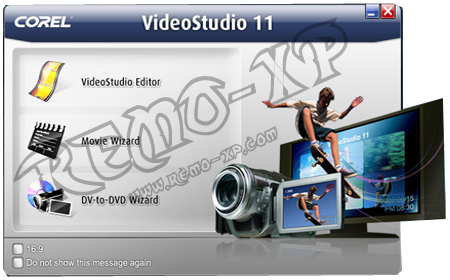
Download Ulead Video Studio Plus 11 Full

Ulead Video Studio Plus 11 menurut saya merupakan salah satu software yang banyak digunakan untuk mengolah video-video di pc. Software buatan corel ini memang patut diacungkan jempol, selain memiliki user interface yang simple dan mudah digunakan, Ulead Video Studio Plus 11 juga mendukung format video seperti Avi, DV, MPGE atau DVD.


The powerful new :
Features in VideoStudio 11 PlusEnd-to-end AVCHD – (AVCHD on standard DVD) Author HD content (from AVCHD or HDV camcorder, or any other HD source) and burn to a standard DVD, using a standard burner. AVCHD discs with menus play back pristine HD video on your PC, Blu-ray Player or Sony PS3, or from disc based AVCHD camcorders.
Supports standard screen sizes from SD to HD, 1280×720 to 1920×1080 as
well as PAL and NTSC systems Audio formats include LPCM and Dolby 2.0 or 5.1.

NB : 100% Tested n Worked By Me. Buat berminat download CorelDraw X5, silahkan klik disini.

Download Ulead Video Studio Plus 11
Download Keygen Ulead Video Studio Plus 11


kalau mau cepat bisa download di sini

Rabu, 30 November 2011

Format Factory 2.60 Software Converter Audio Video Lengkap


Format Factory adalah gratis, fitur lengkap, konverter yang memungkinkan Anda untuk mengkonversi audio, video, dan bahkan gambar, antara format yang paling populer. Ini termasuk WMV, AVI, MPG, MP3, WMA, AAC, JPG, PNG, GIF, dan banyak lagi. Lebih baik lagi, Format Factory mendukung format media yang digunakan oleh perangkat portabel yang paling utama, termasuk PSP dan iPhone.

Format Factory sangat mudah digunakan, meskipun memang memiliki lebih merupakan antarmuka unintuitive. File browser tidak muncul sampai Anda memilih format target, yang sedikit aneh tapi selama Anda tahu ini pertama itu tidak ada masalah. Anda dapat memilih file individual untuk mengkonversi, atau folder lengkap, dan juga tweak beberapa pengaturan konversi dasar.

Format Factory ini tidak terlalu asli tapi apa yang membuatnya sangat berguna adalah bahwa ia menangani gambar serta audio dan video. Kebanyakan konverter audio yang seperti ini hanya menangani dan video, dan menambahkan gambar ke dalam campuran memberi tepi, terutama mengingat ini gratis. Saya juga menyukai perkumpulan Audio Format Factory, yang memungkinkan Anda untuk mengambil dua klip terpisah, bergabung dengan mereka bersama-sama dan kemudian mengubahnya. Ini akan lebih baik untuk memiliki profil preset untuk konversi mobile tetapi Anda tidak bisa memiliki semuanya dalam sebuah aplikasi gratis kadang-kadang.


Download Format Factory 2.60

WinMPG Video Converter v9.2.1.0 Full Version


tags: crack, keygen, serial, aktivasi WinMPG Video Converter v9.2.1.0
WinMPG Video Convert is a complete solution for video file conversion, all media formats can be converted to each other. It supports converting AVI (RMVB) to all video formats:AVI (RMVB) to MPEG, AVI (RMVB) to Mpeg1, AVI (RMVB) to Mpeg2, AVI (RMVB) to DVD, AVI (RMVB) to VCD, AVI (RMVB) to SVCD, AVI to RMVB. It also supports converting all video formats to AVI/XviD/DivX; WMV /VCD /DVD /SVCD /MPEG1 / MPEG2; IPOD/ PSP/ FLV/ SWF /GIF/ AMV; 3GP/ MP4; and supports converting AVI,MPEG1,VCD,ASF,WMV,RM,QuickTime, MOV to RMVB. In addition to these, it also supports distilling the audio formats (mp3/wav/wma/ac3/ogg/mmf/aac) from all video formats, and audio formats can be converted to each other.


Download WinMPG Video Converter v9.2.1.0 + Crack


Jika Muncul Adf.ly klik SKIP AD untuk mendownload filenya

WinX HD Video Converter Deluxe 3.10.3 Software Konverter Audio Video

Winx HD Video Converter Deluxe memiliki kompatibilitas yang sangat baik dengan perangkat portable populer, semua video HD dan video SD. Sebagai software video converter HD pertama yang mendukung multi-track video HD, ini memungkinkan Anda untuk memilih audio dan video yang Anda butuhkan sebelum mengkonversi. Tentu saja software ini membantu anda untuk mengkonversi video dari camcorder HD, HDTV, Blu-ray film, dll

Winx HD Video Converter Deluxe membangun di 160 codec video dan audio 50 codec. Dengan mudah dapat mendukung multi-track video HD, seperti BDAV, M2TS, MKV, AVCHD, HDTV dan film MPEG-TS video. Hal ini juga mendukung konversi semua HD dan video HD-Camcorder, untuk portabel dan konsol, seperti iPad, iPod, iPhone, Apple TV, PS3, PSP, Xbox, Zune, PDA, Blackberry, Nokia, Android, Zen, dll...

This program offers absolutely friendly interface to novice who can use the default setting to convert video with only a few clicks. Advanced users are also allowed to customize output videos by adjusting related parameters.
Supporting Multi-CPU and Hyper Threading, WinX HD Video Converter Deluxe offers up to 5x - 15x real time video converting speed.

Main Functions:
• Support Multi-track HD Video. The first video converter that supports converting Multi-track HD video such as BDAV, M2TS, MKV, and AVCHD. You can freely choose audio language track and video track.
• Convert HD and SD Video. Built-in 160 video codecs and 50 audio codecs, WinX HD Video Converter Deluxe can convert between all popular video formats without assistance of the third-party codecs.
• Support Blu-ray, M2TS, BDAV. Support BDAV, TrueHD, M2TS, MPEG-TS A/V, a definitely useful feature when making a digital copy to backup your Blu-ray video.
• Multi-Core and Hyper Threading. By supporting Multi-core CPU, and with the Hyper-threading technology inside, offers you up to 5x-15x real time converting speed.
• Support HD-Camcorder Video. Make an easy way to convert your HD-Camcorder videos to most popular video formats, so that you can burn it to DVD and edit the video in Windows Media Center.
• Make Website Videos. Help you convert video to the format which can be supported by YouTube, Myspace Video, Metacafe, or you Blog.
• Easy to Use with Professional Setting and Optimized Profiles. Have numerous presetting profiles to satisfy all your need. And the entire adjustable parameter settings enable you to make your own profile.
• Extract Audio and Images from Video. Extract audio tracks and save as MP3 music file. Extract single frame as JPEG or BMP picture. It can make your video converting experience have much more fun.
• Automatically Fix Incorrect Video Data. If your player can't properly play some videos, or you have some corrupt video files, it will auto mend these incorrect data, such as the Video Aspect Ratio, and also you can set it manually.
• Support Both Portable Player and Console Player. Such as iPad, iPod, iPhone, Apple TV, PS3, PSP, X-box, Zune, PDA, Blackberry, Nokia, Android, Zen, etc. With the auto-setting tags in the video, you can easily check the original video name and artists' name in iPhone, iPad, or iPod.


Download WinX HD Video Converter Deluxe 3


Jika Muncul Adf.ly klik SKIP AD untuk mendownload filenya

You might also like

Minggu, 08 Mei 2011

Cara Download Video YouTube

cara mendownload video di you tube sangat mudah.. salah satunya adalah dengan menggunakan keepid video download  di sini  setelah itu secara otomatis di halaman youtube,dibawah video yang kamu download terdapat tulisan download as, pilih tipe file yg kamu inginkan dan ok... selesai deh..

Jumat, 11 Februari 2011

GOM player

Salah satu software multimedia player gratis yang cukup powerful saat ini adalah GOM Player yang dirilis oleh GOM lab. Meskipun berbandrol freeware alias barang gretongan, software ini mempunyai fitur yang cukup lengkap dan memadai.
download img gomplayer 300x201 GOM Player: Software Multimedia Player Gratis yang Powerful
Fitur-fitur andalannya antara lain adalah:
  • Begitu banyaknya codecs yang terintegrasi dalam software ini (seperti: XviD, DivX, FLV1, AC3, OGG, MP4, H263, 3GP dan lain-lain) sehingga kita tidak perlu menginstal codecs untuk berbagai jenis file video yang sering kita gunakan.
  • Fasilitas codec finder, yaitu fasilitas untuk mencari codec yang sesuai dengan jenis file yang kita putar apabila codec tersebut belum terintegrasi dalam software tsb.
  • Bisa memainkan file AVI yang rusak. File AVI tidak bisa diputar jika indexnya rusak atau jika proses download file tersebut tidak sempurna. Hal ini dikarenakan index file berada di bagian belakang dari file tersebut. Teknologi GOM Player yang sudah dipatenkan ini memungkinkan kita untuk menonton file AVI yang rusak tersebut atau bahkan pada saat file tersebut masih dalam proses download.
  • Dukungan Subtitle yang Powerful. GOM player mendukung berbagai file subtitle, diantaranya SMI, SRT, RT, SUB(dengan IDX). Selain itu kita bisa menentukan margin, lokasi, ukuran, resolusi, huruf dari subtitle tersebut dan lain-lain. Kita juga bisa menampilkan mode subtitle karaoke.
  • GOM Player menggunakan format playlist M3U, PLS, ASX dan kita bisa memasukkan dan mengedit berbagai format media dalam playlist tersebut.
  • GOM Player mendukung berbagai jenis media seperti AVI, MPG, MPEG and DAT. Software ini juga bisa digunakan untuk memutar format media streaming windows seperti (WMV, ASF, ASX dan ASK. Selain itu, software ini juga bisa digunakan untuk memutar video DVD-quality dengan chanel output audio 5.1.
  • Fitur Screen capture yang bisa digunakan untuk mengambil gambar (screenshot) dari video yang kita tonton langsung dari software ini tanpa memerlukan software tambahan. Bahkan kita bisa mengcapture screenshoot hingga 999 shot menggunakan fitur Burst capture.
  • Berbagai fitur advance seperti pengaturan video, menghilangkan noise, audio equalizer, mengulang bagian video, dsb.
Daripada kita sibuk membicarakan fitur-fiturnya, jika anda tertarik untuk mencoba software gratis ini, langsung aja download installer GOM Player 2.1.17.4710 di website resmi GOM Lab atau langsung ke halaman downloadnya klik di sini
free counters